Welcome back

Sign in to upload, comment, and share schematics.

Username & Password

Traditional login

Username
Password

Passwords are managed in-game through our Minecraft authentication server:

  1. 1. In Minecraft, connect to auth.schemat.io.
  2. 2. Run /password <your_password> (shorthand /password).
  3. 3. Come back here and sign in with your username and that password.

Prefer not to bother? Just use Microsoft below no password needed.

Or

Microsoft Account

Recommended

Sign in instantly using your Microsoft account.

Create Account

Microsoft Account

Recommended

Or

Minecraft Auth Server

Alternative method

Step 1: Connect to Server

Launch Minecraft and connect to the server IP:

auth.schemat.io

Step 2: Set Password

In the server chat, run the password command:

/password <password>

Step 3: Account Linked

Your account is linked! Return here and sign in.

Copy Server Address

Copy Command Template

TL_y2k

TL_y2k

Joined Jun 2026

Biography

No biography added yet

Stats

1
Schematics
1
Total Likes
New
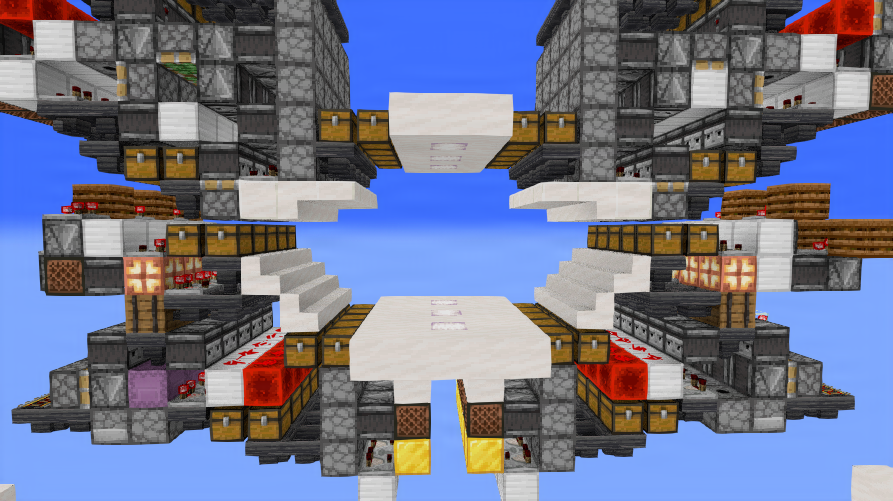
Storage Hallway V1 preview
Authors
tyronblade
_Odinh
cmoa
TL_y2k

Storage Hallway V1

user friendly storage, top chest: unload via shulker unloadermiddle chest (1/2 full always) allows for single items input and outputBottom chest: bulk storage

minecraft Details

redstone icon redstone
5 1 0 25×15×7
.litematic
View Storage Hallway V1
Open

No Flows Yet

This user hasn't created any visual schematic flows yet.

TL_y2k's Bookmarks

No bookmark collections found.
Create Collection
Create a new collection to organize your bookmarks.
Name
Make Public Allow others to view this collection on your profile.